
Playbooks · Business automation · 7 min
Turn an SOP Into an Automation: A Small-Business Checklist
How to turn a written SOP into a safe automation: clean up the steps, split judgement from rules, add checkpoints, test on real cases and keep the SOP as the owner's source of truth.
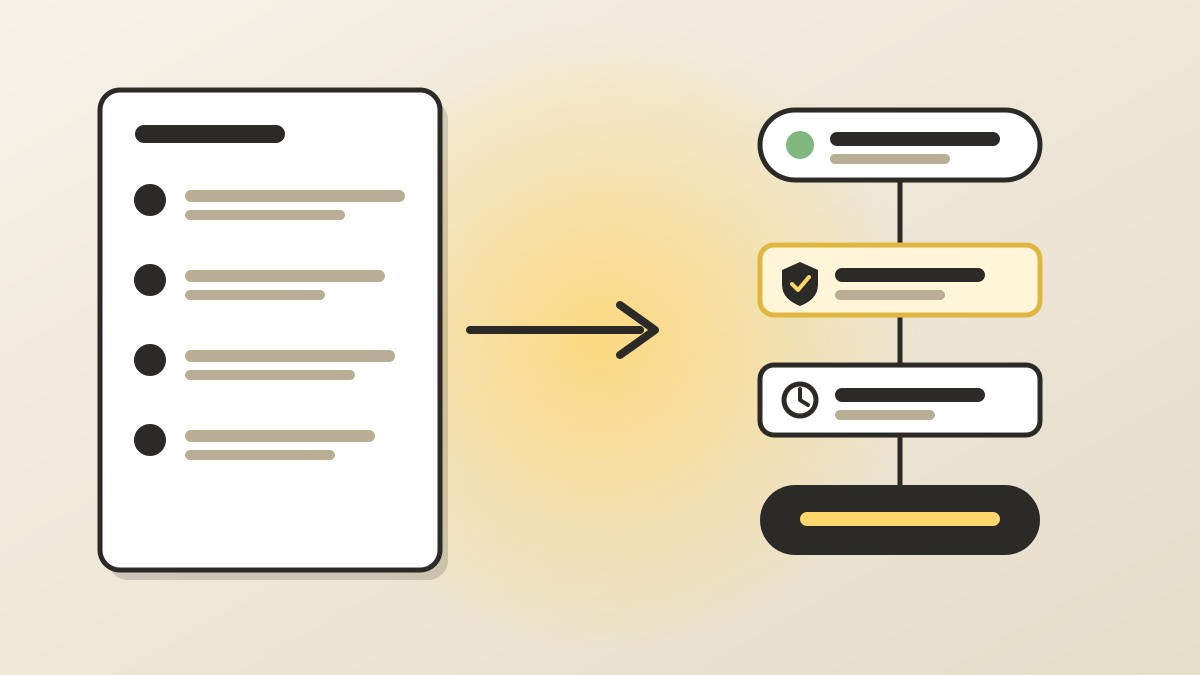
Why an SOP is the best starting point for automation
Most small businesses do not need a clever automation idea. They need the work they already repeat every week to stop depending on one person's memory. A standard operating procedure, or SOP, is exactly that: a written description of how a task is done today. It is the closest thing you have to a specification.
The trouble is that an SOP written for people and a workflow built for software are different documents. People fill gaps with common sense; software does not. If you paste a loose SOP into an automation tool, you automate the gaps as well, and they become silent errors that repeat at machine speed.
This checklist shows how to convert an SOP into an automation in a controlled way, so the result is something your team trusts rather than something it quietly works around.
Step 1: Pick an SOP that is worth automating
Not every procedure deserves a workflow. Start with a task that is repeated often, follows mostly the same steps each time and has a clear start and finish. Good first candidates are lead intake, invoice reminders, onboarding emails, weekly reports and appointment confirmations.
Leave out tasks that depend on negotiation, empathy or unusual exceptions. If the SOP says things like use your judgement or it depends, that section stays with a person for now. If you are unsure which tasks rank highest, our automation audit checklist explains how to shortlist them: https://automasteri.com/blog/ai-automation-audit-checklist-small-businesses/ .
Step 2: Run the SOP as written before you change anything
Ask someone who does not normally do the task to follow the SOP literally, with the real tools open. Every time they stop to ask a question, note it. Those questions mark the places where the SOP relies on unwritten knowledge: which spreadsheet is the current one, who counts as a priority customer, what to do when a field is blank.
Fix the SOP first. A short, accurate procedure that people already follow is a far better base than a long, outdated one. Date it, name an owner and put it in one place where the team can find it.
Step 3: Break the SOP into triggers, inputs, rules and outputs
Rewrite each step in four parts, using plain words. This is the bridge between a human document and a workflow.
The result is a table or list you could hand to any builder, whether they use a no-code tool, a script or an AI assistant. If you cannot fill in one of the four parts for a step, that step is not ready to automate.
- Trigger: what starts this step? A form submission, a new row, a payment, a time of day.
- Inputs: which data does it need, and where does that data live?
- Rule: what decision or action happens, written as if X then Y, including what happens when X is missing.
- Output: what changes afterwards, and who or what is told?
Step 4: Separate fixed rules from judgement calls
Read each rule and sort it into one of three groups. Fixed rules are always the same, such as send a receipt after payment. Rules with simple conditions depend on data you can check, such as orders above a limit need a second look. Judgement calls depend on context a system cannot see.
Fixed rules and simple conditions are safe candidates for ordinary rule-based automation. Judgement calls should go to a person, or to an AI step that only drafts or suggests while a person decides. This split is the main reason many small automations are reliable while overly ambitious ones are not.
Step 5: Add human checkpoints where a mistake would cost money or trust
Mark every step that sends something to a customer, moves money, deletes or exports data, or changes a record other people rely on. These are your checkpoints. For each one, decide whether a person approves before it happens, sees it afterwards in a daily summary, or whether a hard limit is enough.
Our human approval matrix shows a simple way to decide which actions need approval and who gives it: https://automasteri.com/blog/human-approval-matrix-ai-automation/ . A good rule of thumb is that the harder an action is to undo, the earlier a person should be involved.
Step 6: Plan for the exceptions the SOP never mentions
Real work has missing fields, duplicate requests, unreachable customers and tools that are down for an hour. Your SOP probably covers the happy path only. For each step, write one line answering what the automation does when the input is missing, when the step fails and when the same trigger fires twice.
Failures should land somewhere a person actually looks, with enough detail to fix them. We cover the monitoring side in our exception monitoring checklist: https://automasteri.com/blog/automation-exception-monitoring-checklist-small-business/ , and the double-run problem in this guide to preventing duplicate automation runs: https://automasteri.com/blog/prevent-duplicate-automation-runs-small-business/ .
Step 7: Build the smallest version first
Automate one section of the SOP, not the whole thing. A common pattern is to start with the first two or three steps, such as capturing the request, checking the data and notifying the owner, and leave the rest manual. When that part runs cleanly for a couple of weeks, extend it.
Keep the SOP and the workflow aligned from day one. Put the workflow name in the SOP, and put a link to the SOP in the workflow description, so anyone who opens one finds the other.
Step 8: Test against real past cases
Collect a handful of real examples from the last month: a normal case, an awkward one, one with missing data and one that someone had to escalate. Run them through the automation in a safe test mode, with messages going to a test inbox and no real customer or payment affected.
Compare each result with what the SOP says should have happened. Our user acceptance testing checklist gives a ready structure for this: https://automasteri.com/blog/automation-user-acceptance-testing-checklist/ . Ask the person who does the task today to sign off, because they will spot wrong outcomes that look fine on paper.
Step 9: Launch with a way to stop it
Before going live, make sure the owner can pause the workflow in one step and knows how to tell affected customers if something goes wrong. Start with a small share of cases, watch them closely for the first week and keep the manual SOP available as a fallback.
After launch, the SOP does not retire. It becomes the document that explains what the automation is meant to do. When the process changes, update the SOP first, then the workflow, and record who approved the change.
A worked example: invoice reminders
Suppose the SOP for overdue invoices says: check the accounts sheet on Monday, email customers who are late, and phone anyone who is very late.
Converted, the trigger is every Monday morning. The input is the list of unpaid invoices with due dates and customer contacts. The rules are: if an invoice is a few days late, send a polite template reminder; if it is further overdue, create a task for the accounts manager instead of emailing; if the contact email is missing, report it in an exceptions list. The output is a logged reminder and a summary sent to the owner. The phone call and any payment-plan discussion stay with a person. Only the repetitive middle is automated, and each decision is visible.
Common mistakes to avoid
These are the problems we see most often when teams move from documents to workflows.
- Automating an SOP nobody follows. Fix the process before you encode it.
- Treating every step as a rule, including those that need judgement.
- Skipping the exception path, so failures disappear into an unread inbox.
- Giving the automation more access than the task needs.
- Leaving the SOP unchanged after the workflow is edited, so the two drift apart.
- Having no named owner, so nobody notices when the automation starts doing the wrong thing.
SOP to automation checklist
- The task is repeated, mostly consistent and has a clear start and finish.
- The SOP has been followed literally by someone else and the gaps are fixed.
- Every step is written as trigger, inputs, rule and output.
- Rules are sorted into fixed, conditional and judgement calls.
- Judgement calls stay with a person or are limited to AI drafts that a person approves.
- Steps that touch customers, money or data have a checkpoint or a hard limit.
- Missing data, failure and duplicate triggers each have a written response.
- The first version covers only part of the SOP.
- It has been tested on real past cases and signed off by the person who does the work.
- The owner can pause it in one step, and the SOP and workflow link to each other.
Where to go next
If you would like a second pair of eyes on which of your SOPs to automate first, the AutoMasteri free automation audit is a sensible first step: https://automasteri.com/free-automation-audit/ . For the wider system your procedures sit inside, read our guide to building a business automation operating system: https://automasteri.com/blog/business-automation-operating-system-smes/ , or see the business automation masterclass and 90-day roadmap: https://automasteri.com/business-automation-audit/ . AutoMasteri is a mentorship programme that helps owners design and run better systems; hands-on technical delivery is only included where the programme terms or a separate proposal say so.
FAQ
What is the difference between an SOP and an automation?
An SOP is a written procedure that people follow. An automation is that procedure carried out by software when a trigger happens. The SOP explains what should happen and why; the automation does the repeatable parts.
Which SOPs should a small business automate first?
Choose tasks that repeat often, follow mostly the same steps and have a clear start and end, such as lead intake, invoice reminders or weekly reports. Avoid tasks that depend heavily on judgement or negotiation.
Do I need to rewrite my SOP before automating it?
Usually yes, at least lightly. Have someone follow it literally, fix the gaps they find, then rewrite each step as a trigger, inputs, a rule and an output.
Can AI turn my SOP into an automation automatically?
AI can help draft a workflow from an SOP, but a person should review it. Keep judgement calls and high-impact actions with a human or behind an approval step, and test the result on real past cases.
Should the SOP be kept after the automation is live?
Yes. It remains the source of truth for what the automation is meant to do. Update the SOP first when the process changes, then change the workflow and record who approved it.
Build the map before the tools.
Start with the free AutoMasteri automation audit, or apply for a mentor review if you want Reji to review the operating system behind your customer journey.